Case Study

ANew Spin on Booking: The Circular Time Slot Selector

Time Slot Selector

The Story

Design Process

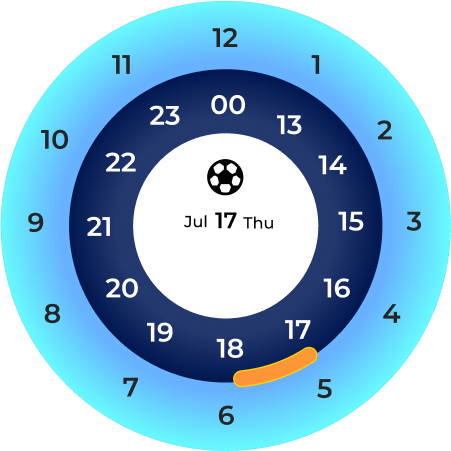
The design process began with the goal of creating a clock-inspired interface to visually select time slots for activities throughout the day. The initial approach presented a 24-hour circular picker where users could drag a yellow slider to select their preferred slot.
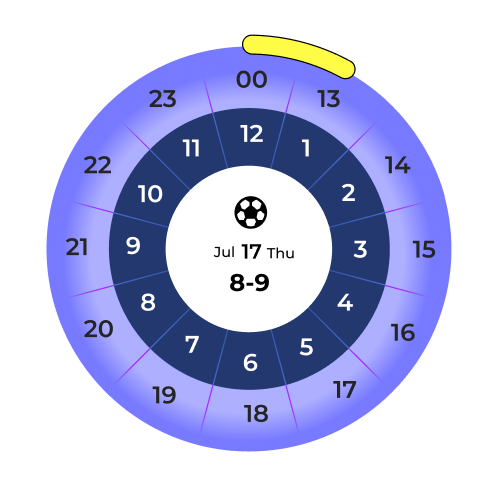
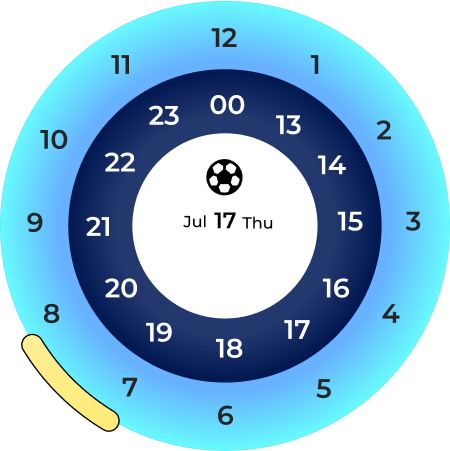
1. Initial Concept -- Full 24-Hour Clock

Time slot selector.pngTime slot selector-1.pngTime slot selector-2.png

Strengths

  • Visually engaging and intuitive (clock metaphor).
  • Users see the entire day at once, making scheduling feel complete.

Challenges

  • Cluttered Layout: With 24 slots crammed into one circle, readability suffers.
  • Edge Cases: Selecting slots like 00--01 or 12--13 feels awkward.
  • Cognitive Load: Too many options at once can overwhelm the user.

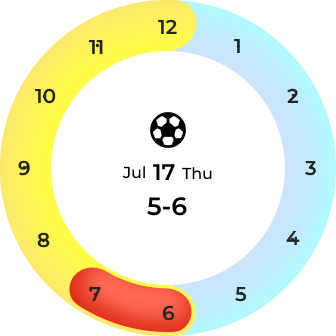
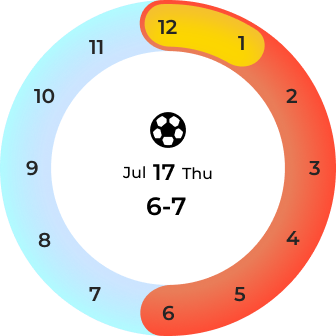
2. Iteration -- Dividing the Day into Segments

Morning

Morning

Mid-day

Mid-day

Night

Night

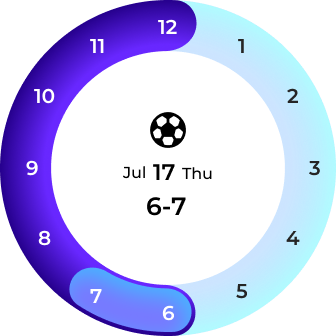
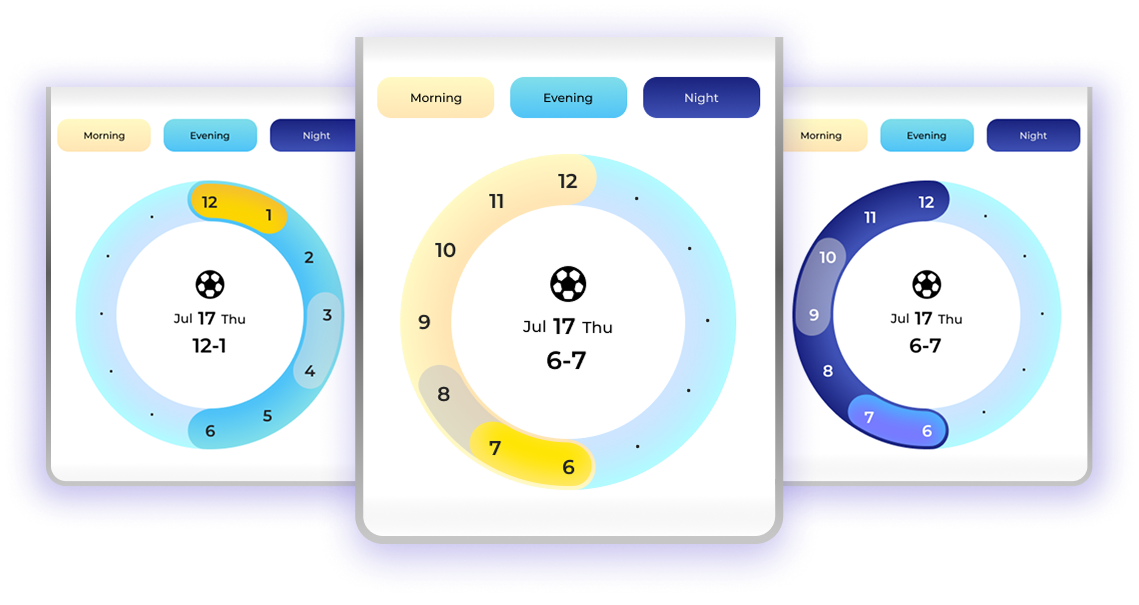
To simplify, the day was split into three logical segments:
Morning (6 AM -- 12 PM) = Yellow · Mid-day (12 PM -- 6 PM) = Blue · Night (6 PM -- 12 AM) = Dark Blue

Interaction

  • Users first choose a segment button (Morning / Evening / Night).
  • The clock interface then zooms into that part of the day with color coding.
  • Users pick their slot by dragging the slider within the focused segment.

Benefits

  • Reduced Clutter: Only 6--8 hours visible at once.
  • Color Coding: Provides quick mental mapping.
  • Simpler Selection: Removes confusion around boundary hours.

Refinement: Subtle Visual Styling

Morning

Morning

Mid-day

Mid-day

Night

Night

User Testing & Insights

1. Testing Setup

Usability testing sessions were conducted with a diverse group of participants to validate the circular time selector. Each participant interacted with the prototype across mobile and desktop environments.

testing-1.pngtesting-2.png

2. Key Findings

Positive Feedback: Users found the chunked morning-evening-night division easier to understand than a 24-hour clock.
Challenges: Some first-time users needed brief guidance on how to drag the time slider.

Strengths

  • Fast learning curve -- most users understood within 1--2 minutes.
  • Visually engaging, enjoyable interaction.

Areas to Improve

  • Provide clearer onboarding hints for new users.
  • Add haptic/visual feedback when slots are selected.